 FlowSentric
Turn an answer into a living dashboard
Ask a question, then ask FlowSentric to visualize it. Canvas keeps interactive dashboards, documents, code, diagrams and whiteboards that the AI can edit, agents can update and you can share by link.
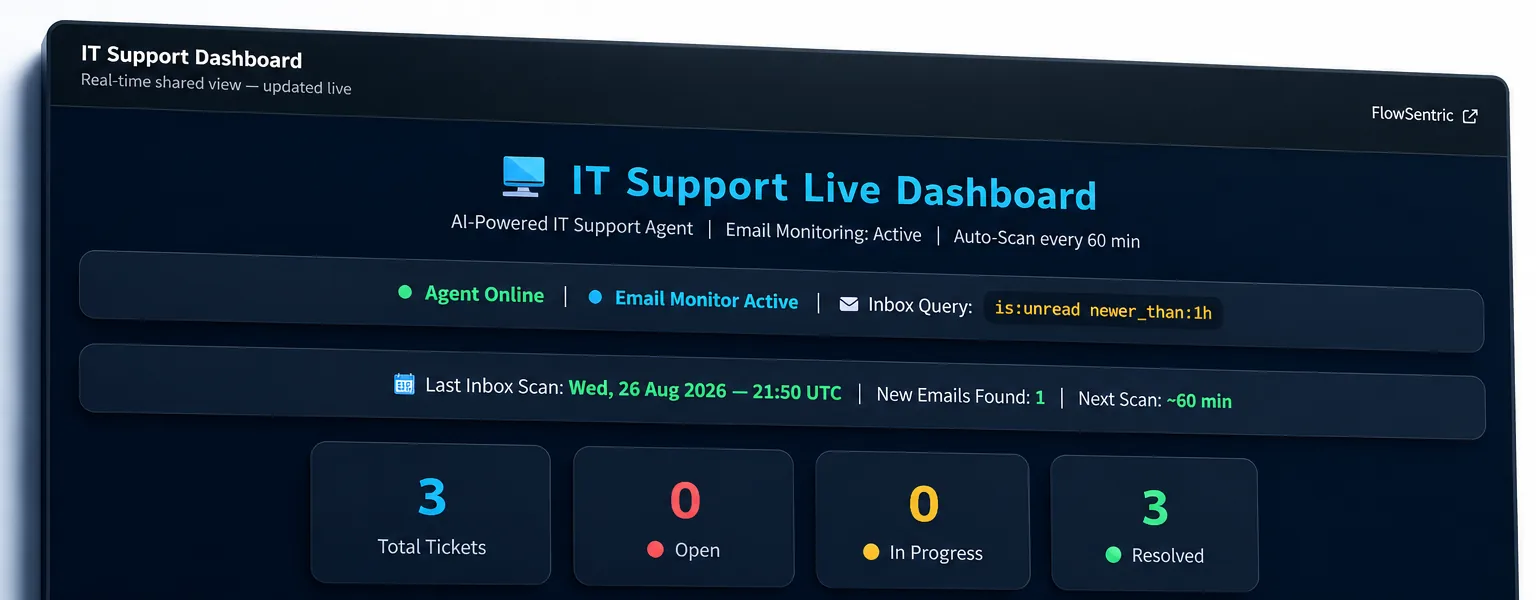
5artifact kinds
500 KBper canvas version
256-bitshare tokens, revocable
Liveviewers see agent updates
What it does
01
Live charts from chat
Ask a question, get an interactive dashboard — generated directly from the answer and rendered in a sandboxed runner.
02
Share or embed
Mint a read-only link; revoke it any time. The public viewer refreshes itself when an agent updates the canvas.
03
Edited by AI, kept by version
Ask for changes in plain language, download as PDF or PNG, and roll back through inline version history.
How it works
01Ask a question that touches your data or documents.
02Turn on the Canvas capability and ask FlowSentric to visualize the answer.
03Edit live: ask the AI to change a chart, or tweak the HTML, Markdown or diagram yourself.
04Let an agent or workflow keep it current, then share a link.
Five kinds of canvas
App / Dashboard
Interactive HTML with charts, sandboxed
Document
Markdown reports and memos
Code
Snippets and scripts with history
Diagram
Mermaid flowcharts and sequences
Whiteboard
Free-form boards for planning
Built for
Real-world scenariosLive KPI dashboards from chat
Client-facing status boards
Ad-hoc data exploration
Weekly reporting without spreadsheets