
Skip to content
Products
Platform
PricingSecurityServicesBlog
Start freeSign inBook a demo
Workflows

Automate the work you repeat

Chain prompts, agents, approvals and tool calls on a visual canvas. Run on a schedule, a webhook or an event — or let “Suggest with AI” draft the whole graph from one sentence.
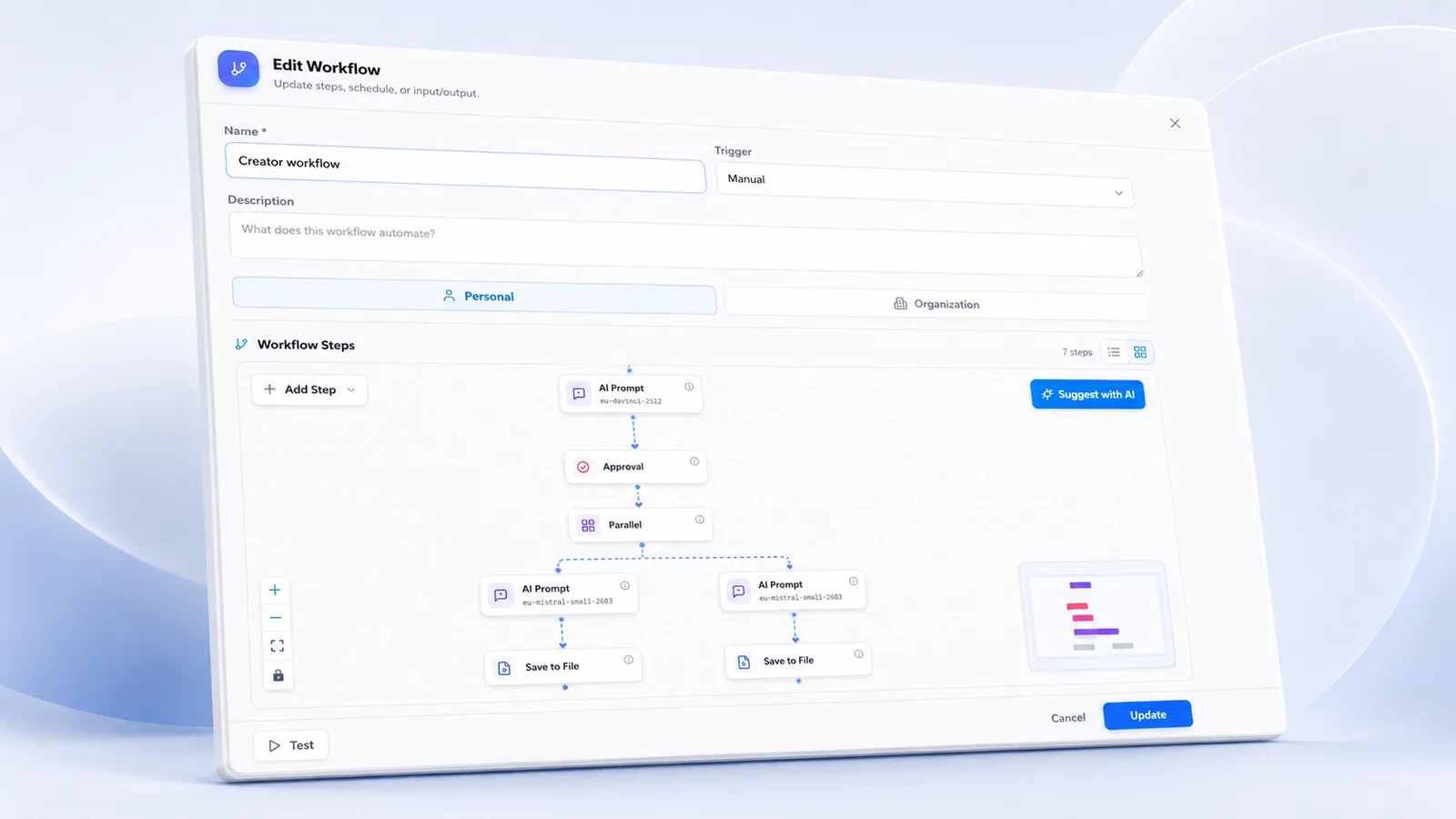
The workflow editor with AI Prompt, Approval, Parallel and Save to File steps and the Suggest with AI button
16node types
4trigger types
200nodes per workflow
16parallel branches
5retries per node
1sentence to a draft

What it does

01

Visual step builder

Drag AI prompts, agent calls, conditions, loops, parallel branches and tool steps onto a canvas with minimap and node palette. Pick a friendly schedule or write real cron.

02

Humans in the loop

Add an approval step anywhere. The run pauses, the owner gets notified, and an approvals inbox lets a person approve or reject before the workflow continues.

03

Reliable by design

Per-node retries with backoff, a run token cap, replay of any execution, and AI auto-repair that diagnoses a failed node and proposes a corrected config — nothing is changed without you.

How it works

01Describe the process in one sentence, start from a template, or drag steps onto the canvas.
02Test the unsaved graph: side-effecting steps are simulated, so a test never sends mail or burns quota.
03Choose a trigger: manual, schedule (cron + time zone), signed webhook or an internal event.
04Monitor every run, its steps, cost and latency heatmap — and replay when needed.

Every node type

AI promptAgent callMedia generationConditionApprovalWeb searchHTTP requestEmailData queryTransformDelaySave to fileRecord metricPublish cardParallelLoop

Triggers: manual · schedule · webhook (signed, enabled per deployment) · event (workflow.completed, agent.completed).

Built for

Real-world scenarios
Weekly client status summaries
Document intake to filed response
Lead qualification and routing
Content review and publish pipeline

Stop doing it by hand.

Start free and publish your first workflow — or let Suggest with AI draft it for you.