 FlowSentric
RAG, explained: how a knowledge base makes AI answer from your documents, with citations
Retrieval-augmented generation in plain terms: chunking, embeddings, hybrid search, reranking and citations, plus the German details that decide if it works.
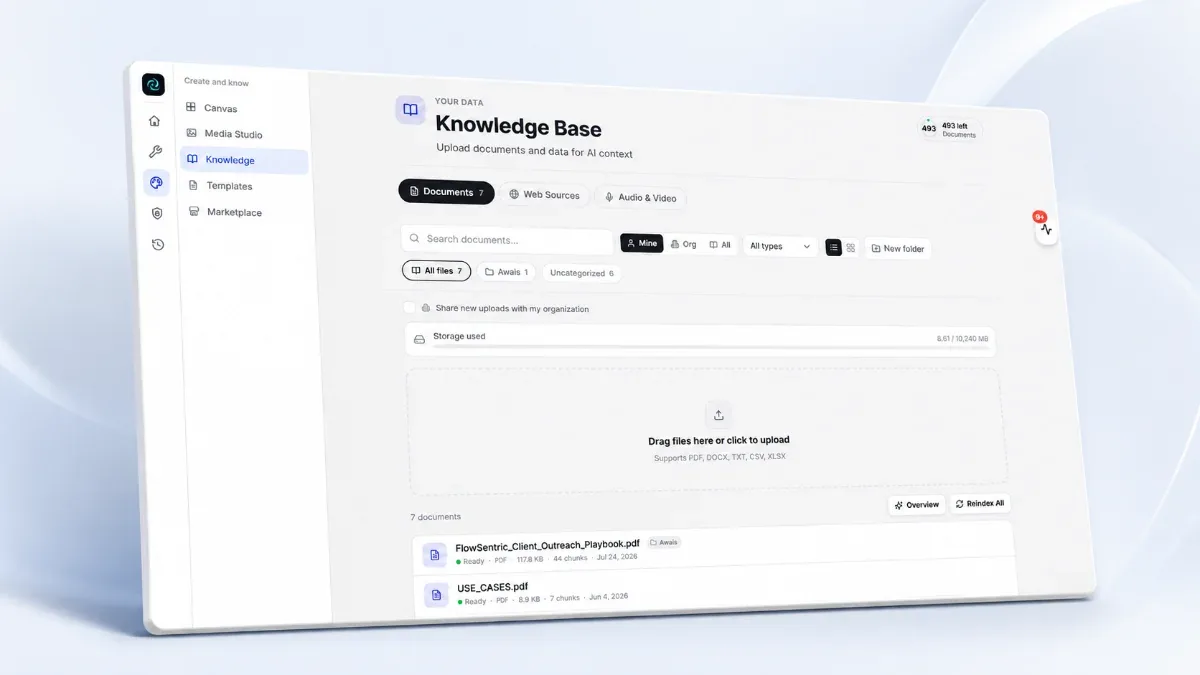
- RAG finds the relevant passages first and lets the model answer from them, with the file and page named.
- Chunks never cross a page boundary, which is what makes citations exact. Tables stay tables.
- Hybrid search matters for German: meaning for prose, exact matching for a Steuernummer or a clause number.
A language model knows a lot about the world and nothing about your company. Retrieval-augmented generation, RAG for short, fixes that without any training. Before the model answers, the system finds the most relevant passages in your documents and hands them over together with the question. The model answers from those passages and says where they came from.
That's the whole idea. The quality lives in the details, and the German-language details are where most tools quietly fall over. Here's how ours works, step by step.
1. Ingest: turning files into text
The FlowSentric knowledge base accepts 28 document formats (PDF, Word, Excel, PowerPoint, CSV, Markdown, HTML, JSON, images and more) plus 14 audio and video formats. Text is extracted. Scanned pages go through OCR with English and German support at 300 DPI. Tables are kept as tables, so a number stays attached to its row and column instead of floating loose in a paragraph. Audio and video are transcribed on our own servers. YouTube links and podcast feeds can be imported directly.
2. Chunk: cutting text into passages
Models have a context limit, so documents are split into chunks of roughly 1,000 characters with a 200-character overlap. The splitting respects paragraphs and sentences, tables split on row boundaries with the header repeated, and a chunk never crosses a page boundary. That last rule is what makes page-level citations exact rather than approximately right.
3. Embed: numbers that mean something
Each chunk is turned into a vector with an embedding model. We compute embeddings on our own servers with multilingual models and store them in a vector index. Your text doesn't leave the box to be embedded. That matters more than people think: embedding is the step where a lot of "private" RAG setups ship the entire document to a US API.
4. Retrieve: hybrid search
Pure vector search is good at meaning and bad at exact terms: a Steuernummer, a product code, a clause number. Pure full-text search is the opposite. We run both and merge the two rankings into one. Full-text search can be configured for German (or several languages at once), so stemming knows that "Rechnungen" and "Rechnung" belong together. Optional reranking and query expansion tighten the top results further.
5. Generate: answer with sources
The best passages are grouped by document and labelled [Source: filename (page N)]. The grounding instruction tells the model to reproduce numbers exactly, to name row and column for table values, to flag illegible scans, and to attribute every claim to a source. It also gets an inventory of which documents exist, so it can't invent a file that isn't there.
Privacy inside the pipeline
Retrieved context goes through Privacy Guard before it reaches a model, so a client's IBAN inside a contract is masked in the prompt even though it sits in your knowledge base. Documents carry personal or organisation visibility, folders act as collections with their own permissions, and every document keeps version history.
Sizing for a real company
Documents up to 50 MB, videos up to 500 MB. Ten documents are free to start, and document capacity is sized with your package. The deep dive is on the Knowledge Base page.